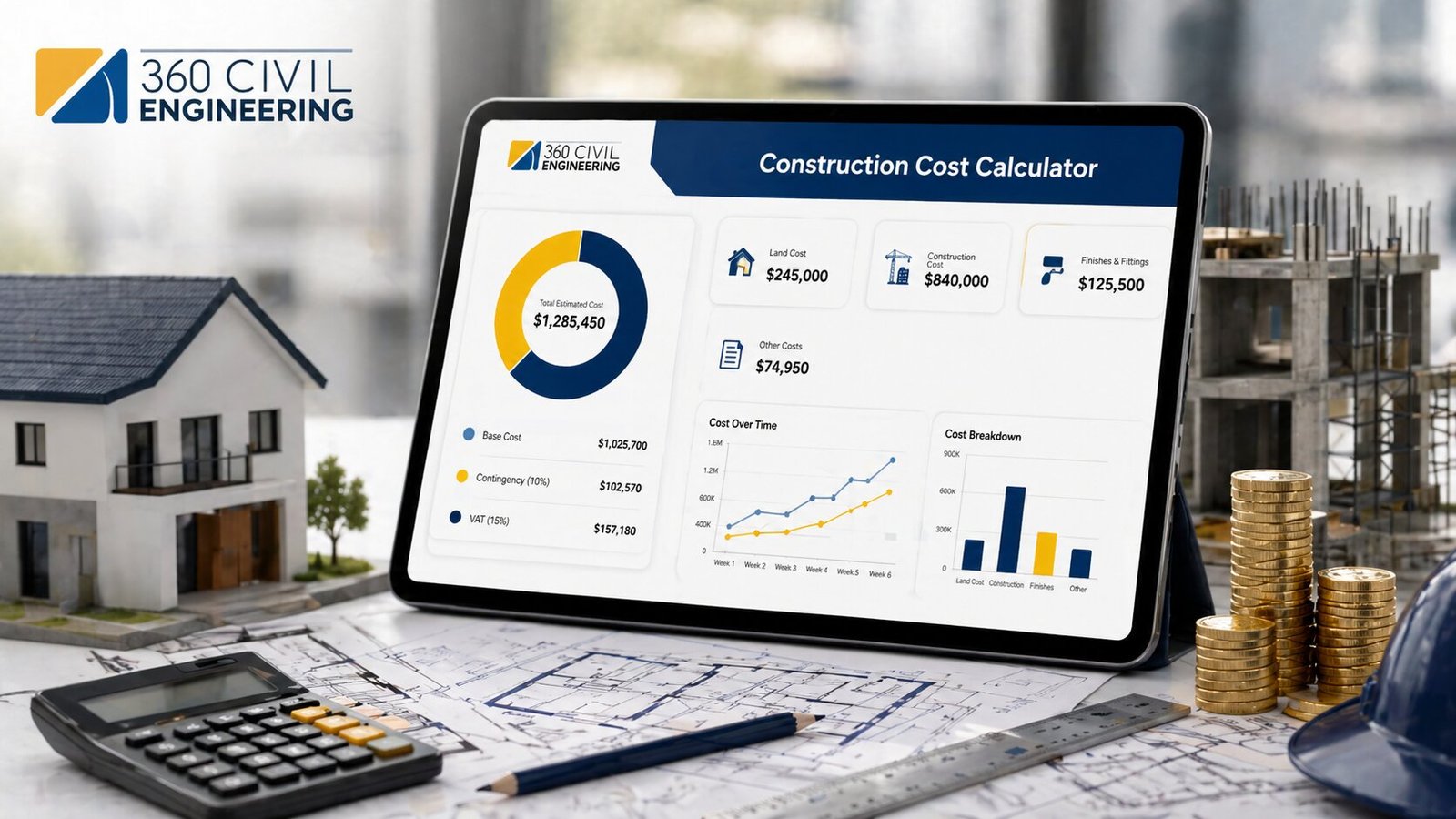
This Construction Cost Calculator is designed to help you make a smarter construction budget before starting your project. Use it to estimate building cost, compare different quality levels, understand cost breakdown, calculate approximate quantities, and plan your cash flow. For final approval, always consult a qualified civil engineer, architect, contractor, or quantity surveyor.
| Cost Element | Amount | Share |
|---|
| Item | Quantity | Formula Basis |
|---|
| Month | Progress | Cash Flow |
|---|
Area(sqft) = Marla × 272.25
Area(sqft) = Kanal × 5,445
If area is total: Actual Area = Entered Total Area
Note: Upper floor factor is an estimating assumption and can be adjusted by project type.
High Estimate = Final Cost × (1 + High Range % ÷ 100)
Planning a house, commercial building, renovation, or civil engineering project starts with one important question: how much will construction cost? Our Construction Cost Calculator helps you estimate the expected building cost based on area, number of floors, construction quality, location factor, structure type, grey structure, finishing, MEP works, add-ons, contingency, overhead, profit, tax, and escalation.
Construction estimating is not just about multiplying area by rate. A proper estimate should consider materials, labor, equipment, subcontractors, overhead, contingency, profit, and indirect costs. Modern estimating guides also recommend using structured cost breakdowns, quantity takeoff, and location-based rates to improve estimate reliability.
What Is a Construction Cost Calculator?

A Construction Cost Calculator is an online estimating tool that helps homeowners, civil engineers, contractors, architects, quantity surveyors, and project managers calculate the approximate cost of a building project. It uses basic project information such as area, unit rate, floors, quality level, location factor, and cost percentages to generate a quick construction budget.
This calculator is useful for:
- House construction cost estimation
- Building cost per square foot calculation
- Grey structure and finishing cost estimate
- Commercial building cost planning
- Renovation and extension cost estimate
- Construction budget planning
- BOQ-style quantity summary
- Preliminary project feasibility check
Why Use This Construction Cost Calculator?
Construction costs can change due to material prices, labor rates, site conditions, design complexity, location, finishing quality, and market inflation. A calculator gives you a fast planning estimate before you request contractor quotations or prepare a detailed BOQ.
This tool helps you calculate:
- Total construction cost
- Cost per square foot
- Cost per square meter
- Actual built-up area
- Weighted floor cost area
- Low and high estimate range
- Future escalated cost
- Cost breakdown
- BOQ quantity summary
- Monthly cash flow plan
- Live cost pie chart
Square-foot estimating is commonly used for early-stage project planning, but it should be treated as a starting point because location, materials, finishes, and design features can significantly affect the final cost.
How to Use the Construction Cost Calculator
Using this calculator is simple:
- Select your currency.
- Choose the estimate mode.
- Select whether your area is one-floor footprint area or total built-up area.
- Enter the area and number of floors.
- Choose the project type, construction quality, location factor, structure type, and basement option.
- Update the base market rates according to your city or country.
- Add contingency, overhead, profit, tax, professional fees, and escalation percentage.
- Select optional add-ons such as boundary wall, solar system, elevator, fire fighting, waterproofing, HVAC, or smart home system.
- Click calculate and review your total cost, chart, BOQ summary, and cash flow plan.
Main Formula Used in This Calculator
The basic construction cost formula is:
Base Cost = Weighted Cost Area × Rate per Square Foot
For multi-floor buildings:
Weighted Cost Area = Footprint Area × [1 + (Floors − 1) × Upper Floor Cost Factor]
Then the calculator adjusts the cost using location, quality, structure, basement, and project type factors:
Adjusted Direct Cost = Base Cost × Location Factor × Quality Factor × Structure Factor × Basement Factor × Project Factor
The final project cost includes:
Final Cost = Subtotal + Professional Fees + Contingency + Overhead + Profit + Tax
This approach is useful for early planning because it combines area-based estimating with professional cost allowances such as contingency, overhead, profit, and fees.
Top Construction Cost Calculators
Here are the most useful construction cost calculators for homeowners, engineers, and contractors:
1. Construction Cost Calculator
A complete calculator for estimating the overall building cost, including structure, finishing, MEP, add-ons, overhead, profit, tax, and contingency. This is the best option for users who want a full project budget.
2. House Construction Cost Calculator
This calculator is ideal for residential projects. It helps estimate the cost of building a house based on covered area, number of floors, quality level, location, and finishing standard.
3. Building Cost Calculator
A building cost calculator is useful for houses, apartments, offices, schools, warehouses, and commercial buildings. It calculates total cost and cost per square foot or square meter.
4. Grey Structure Cost Calculator
This calculator focuses on the structural part of construction, including excavation, foundation, RCC, steel, concrete, masonry, roof slab, and basic plaster work.
5. Finishing Cost Calculator
A finishing cost calculator estimates tiles, paint, ceiling, doors, windows, kitchen, bathroom fixtures, electrical fittings, plumbing fixtures, and interior works.
6. BOQ Quantity Calculator
A BOQ-style calculator helps estimate approximate quantities such as cement bags, steel weight, concrete volume, sand, aggregate, bricks, plaster area, paint area, tiles, electrical points, and plumbing fixtures.
7. Construction Cost per Square Foot Calculator
This calculator is useful for quick budgeting. It estimates the total cost by multiplying built-up area with the construction rate per square foot. RSMeans square-foot estimating tools are also based on the idea of building type, square footage, specifications, and cost per unit area for early planning.
What Costs Are Included?
A professional construction estimate should include both direct and indirect costs.
Direct Costs
Direct costs are directly related to the physical construction work. These include:
- Cement
- Steel / rebar
- Sand
- Aggregate
- Bricks / blocks
- Concrete
- Tiles
- Paint
- Labor
- Equipment
- Subcontractor works
- Electrical work
- Plumbing work
- HVAC work
Indirect Costs
Indirect costs support the project but are not always linked to one single work item. These include:
- Site supervision
- Temporary works
- Insurance
- Safety compliance
- Mobilization
- Permits
- Site utilities
- Contractor overhead
- Project management cost
Procore’s estimating process also highlights material takeoff, supplier pricing, labor requirements, insurance, bonding, overhead, profit, and contingency as important steps in construction estimating.
Why Cost Breakdown Matters
A single total cost number is not enough for a serious construction project. A good estimate should show where the money is going. This calculator provides a cost breakdown for:
- Direct construction cost
- Add-ons
- Professional fees
- Contingency
- Contractor overhead
- Contractor profit
- Tax or permit allowance
This type of breakdown helps users compare different construction options and understand how much each cost category contributes to the final budget.
Grey Structure vs Finishing Cost
In many construction markets, especially in South Asia and the Middle East, construction cost is often divided into grey structure and finishing.
Grey Structure Includes
- Excavation
- Foundation
- RCC structure
- Steel reinforcement
- Concrete
- Brick or block masonry
- Roof slab
- Basic plaster
- Basic external structure
Finishing Includes
- Flooring
- Tiles
- Paint
- Doors
- Windows
- Ceiling
- Kitchen work
- Bathroom fixtures
- Electrical fixtures
- Plumbing fixtures
- Interior finishing
This calculator allows users to estimate both grey structure and finishing cost separately.
Cost per Square Foot vs Cost per Square Meter
Different countries use different area units. This calculator supports common international and regional units, including:
- Square feet
- Square meters
- Marla
- Kanal
- Acre
For international users, cost per square meter is useful. For Pakistan, India, UAE, Saudi Arabia, UK, and US audiences, cost per square foot is also widely used for quick comparison.
Important Factors That Affect Construction Cost
Construction cost can increase or decrease based on several factors:
- Project location
- Material price
- Labor rate
- Number of floors
- Basement requirement
- Soil condition
- Structure type
- Building design
- Finishing quality
- MEP complexity
- Contractor overhead
- Market inflation
- Project duration
- Permits and taxes
RICS NRM provides a structured approach to cost estimating and elemental cost planning for construction projects, while NRM 1 focuses on order of cost estimating and cost planning for capital building works.
Who Can Use This Calculator?
This construction cost estimator is useful for:
- Homeowners
- Civil engineers
- Contractors
- Builders
- Architects
- Quantity surveyors
- Real estate developers
- Students
- Project managers
- Construction companies
Is This Calculator Accurate?
This calculator provides a planning estimate, not a final tender price. It is best for early budgeting, comparison, and feasibility checking. Final construction cost should be verified with:
- Architectural drawings
- Structural drawings
- Soil report
- Local schedule of rates
- Contractor quotations
- BOQ prepared by a quantity surveyor
- Site inspection
- Local market rates
Square-foot estimates are helpful for early planning but should not be treated as final cost because project-specific design, location, materials, and finishes can change the actual cost.
Frequently Asked Questions
What is a construction cost calculator?
A construction cost calculator is an online tool that estimates the approximate cost of a building project based on area, rate, floors, quality, location, structure type, contingency, overhead, profit, and tax.
How do I calculate construction cost?
The basic formula is:
Construction Cost = Area × Rate per Unit Area
For a more professional estimate, add location factor, quality factor, structure factor, professional fees, contingency, overhead, profit, tax, and escalation.
What is cost per square foot?
Cost per square foot is the total construction cost divided by the total built-up area in square feet. It helps compare different projects and estimate the budget quickly.
Does number of floors affect construction cost?
Yes. More floors increase the total built-up area, material quantity, labor, structure, MEP work, and finishing cost. This calculator includes floor logic and weighted cost area.
What is weighted floor cost area?
Weighted floor cost area is an estimating method where the ground floor is counted at full cost and upper floors are adjusted using an upper floor factor. This helps estimate multi-storey construction more realistically.
What is contingency in construction cost?
Contingency is a risk allowance added to the estimate for unexpected cost increases, design changes, waste, market fluctuation, and site conditions.
What is the difference between grey structure and finishing?
Grey structure covers the basic building structure such as foundation, RCC, masonry, concrete, and roof slab. Finishing includes tiles, paint, doors, windows, ceilings, kitchens, bathrooms, electrical fittings, and plumbing fixtures.
Can this calculator be used for commercial buildings?
Yes. You can use it for houses, villas, apartments, commercial buildings, warehouses, schools, hospitals, and renovation projects by selecting the relevant project type and adjusting the rates.